Comparison Between Illustrator’s Native Width Tool and IllustKit’s Brush Width Tool
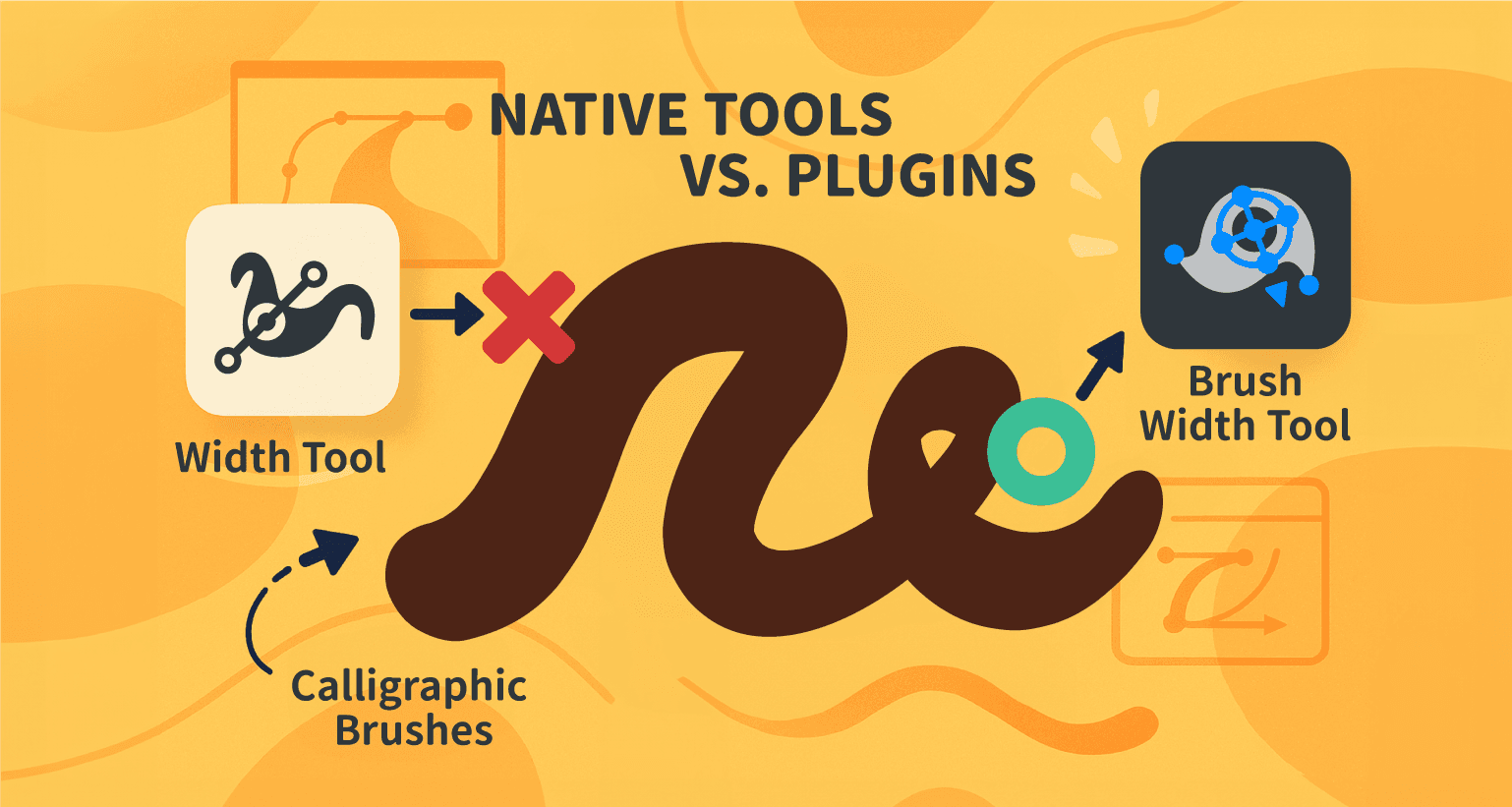
Illustrator’s Stroke feature provides a range of adjustment options, including the Width Tool and Width Profiles, allowing designers to create strokes with varying thickness. These features are widely used in hand-drawn styles and typography design.
However, when working with calligraphic brushes—commonly used with digital drawing tablets—the native Width Tool has limitations in controlling the stroke’s appearance.
This article examines how Illustrator’s native width editing functions and introduces how IllustKit’s Brush Width Tool extends these capabilities to better support such scenarios.
Capabilities and Limitations of Illustrator’s Native Stroke Width Editing
Illustrator provides two primary methods for controlling variations in stroke width:

Width Tool:
Allows direct adjustment of stroke thickness by clicking and dragging along a path. This method is intuitive and well-suited for quickly creating strokes with varied widths.Width Profile:
Applies preset or custom profiles that automatically vary stroke thickness along a path—for example, tapered ends with a thicker middle or a gradual transition from thick to thin.
However, these width editing features cannot be directly applied to strokes created with calligraphic brushes.
When using a digital graphics tablet, calligraphic brush strokes vary in thickness, roundness, and angle based on input parameters such as pressure and tilt. While these strokes effectively simulate natural writing or hand-drawn effects, Illustrator’s native tools cannot further modify these variations once the stroke is created.
In this scenario, the following limitations are commonly encountered:
Inability to Modify Stroke Width Directly:
Adjusting the thickness of a specific segment often requires redrawing the entire stroke.Limited Control for Localized Adjustments:
Although digital pens provide natural stroke variation, native tools offer limited control for making precise adjustments to specific parts of a stroke.Constraints in Digital Illustration Workflows:
For workflows that rely on non-destructive editing, these limitations can restrict the ability to make flexible refinements during the illustration process.
IllustKit’s Brush Width Tool: Extending the Editing Capabilities of Calligraphic Brushes
IllustKit introduces the Brush Width Tool to address the limitations of editing calligraphic brush strokes in Illustrator. With this tool, strokes created using calligraphic brushes can be adjusted in a manner similar to standard paths, enabling more flexible control over stroke width variations.

Core Principles and Functionality:
The IllustKit Brush Width Tool enables direct editing of the parameters recorded by calligraphic brushes during stroke creation. These attributes—originally determined by input data such as pen pressure, tilt, or bearing—can be adjusted through a visual interface using this tool.
Precision Point Editing:
After a stroke is created, control points can be added or adjusted along the calligraphic brush path. Each point allows modification of width, roundness (brush shape), and angle (brush direction) at a specific location, enabling precise refinement of the stroke’s thickness and form.Mouse Support:
Width variations of calligraphic brush strokes can be adjusted using a mouse, without requiring a digital graphics tablet. The interaction is similar to Illustrator’s native Width Tool, allowing for an intuitive editing experience.Profile-like Application for Enhanced Flexibility:
By adjusting width, roundness, and angle, it is possible to create smooth, organic stroke variations. This approach provides greater flexibility in scenarios that require both a hand-drawn appearance and precise control, such as typography or illustration design.
Use Cases
Artistic Typography Design:
During the type design process, basic strokes can be created using calligraphic brushes, then refined using the tool to adjust stroke thickness and terminal shapes.Hand-Drawn Style Illustration:
For illustrations that require a hand-drawn aesthetic, localized adjustments can be made to individual strokes even after the initial drawing is complete.Logo and Icon Design:
In scenarios that require precise control over stroke weight and proportions, the tool enables efficient refinement of line shapes to achieve balanced visual results.

Potential Limitations
The IllustKit Brush Width Tool remains subject to certain system-level constraints within Adobe Illustrator:
Control Point Limit:
Each path supports a maximum of 101 control points. For exceptionally long strokes, it may not be possible to place points at every detail; therefore, the tool is best suited for medium-length or segmented strokes.Angular Precision:
Rotation angles are calculated in 256 discrete increments. As a result, in scenarios requiring high geometric precision, minor discrepancies may occur.
In most hand-drawn illustrations or typography workflows, these limitations do not significantly impact usability. However, for designs that require high geometric accuracy, it is recommended to evaluate the tool’s suitability based on specific requirements.
Comparison: Illustrator Native Width Tool vs. IllustKit Brush Width Tool
| Feature | Illustrator Width Tool / Profiles | IllustKit Brush Width Tool |
|---|---|---|
| Target Objects | Standard strokes, Art Brushes, Pattern Brushes | Calligraphic Brushes (including native drawing brushes) |
| Primary Purpose | Edit stroke width variations | Edit width, roundness, and angle of brush strokes |
| Editing Method | Direct manipulation (dragging), preset profile selection | Control point-based visual editing |
| Control Parameters | Width only | Width, roundness, and angle |
| Efficiency Impact | Efficient for general stroke width adjustments | Reduces the need for redrawing calligraphic strokes |
| Limitations | Does not support calligraphic brushes | Limited to calligraphic brushes; maximum of 101 control points and 256 angle steps |
| Typical Applications | Stroke weight adjustments, preset line styles | Artistic typography, hand-drawn illustrations, refined brushwork |
While Adobe Illustrator offers a comprehensive set of vector drawing features, it has limitations in post-editing digital brush strokes. The IllustKit Brush Width Tool addresses this gap by providing additional editing capabilities, allowing strokes created with calligraphic brushes to be adjusted for width and fine detail.
With this tool, designers can refine their artwork while preserving the unique characteristics of each stroke, enabling a more flexible and efficient digital illustration workflow.
See how the IllustKit Brush Width Tool works in Illustrator.